


Freejia
Mini PC Mount for Dell Micro Mount,Under Desk and VESA Wall Mount for Dell OptiPlex Micro Form Factor Case Dell MFF 7010 7080 5070 3000 7060 7090 3060 3040 3046 3050 3090 9020 7080XE
Mini PC Mount for Dell Micro Mount,Under Desk and VESA Wall Mount for Dell OptiPlex Micro Form Factor Case Dell MFF 7010 7080 5070 3000 7060 7090 3060 3040 3046 3050 3090 9020 7080XE
Couldn't load pickup availability
Brand: Freejia
Color: Black
Features:
- Compatible Models: for Micro Dell OptiPlex MFF 3000, 3040, 3046, 3050, 3060, 3070, 3080, 5000, 5050, 5060, 5070, 5090, 7000, 7040, 7050, 7060, 7070, 7080, 7090 and more. Fits all Dell OptiPlex minicomputers measuring 1.4" x 7" x 7.2". It does not fit OptiPlex Mini Tower, Compact or Wyse models
- VESA mount Dell OptiPlex micro computers: Mount the mini OptiPlex to the back of a monitor with a 75 x 75 mm or 100 x 100 mm VESA pattern or to a standard monitor stand. Or select the standard monitor stand. Please note that you will need to check that your monitor has a four-hole VESA pattern before mounting
- Enhanced protection for your OptiPlex MFF: Instead of placing your OptiPlex MFF on an unprotected table, the OptiPlex MFF can be protected by a stand
- Instead of placing your OptiPlex MFF on an unprotected table, the bracket allows you to mount your OptiPlex MFF on the back of your computer's display screen, on a wall, or under a table.This not only protects your device, but also makes the table neater, saves space, and saves on maintenance costs
- With Power Adapter Bracket: Two included Velcro straps secure the OptiPlex power adapter to the top of the bracket. The two included Zip Ties help keep cables neat and clean in 3 mounting scenarios - Micro OptiPlex Wall Mount, Micro OptiPlex VESA, and Micro OptiPlex Under Desk
- Easy Installation:The package has included installation instructions and all screw kits and small screwdriver, 3 installation methods only need 10 minutes to complete the installation easily and quickly
- Important Note: If you are mounting the OptiPlex to the back of a monitor, this bracket will use VESA holes, which will make it impossible to mount to a monitor stand or monitor bracket
model number: daerft1
Part Number: daerft1
Details: COMPATIBILITY
Compatible with the micro Dell OptiPlex MFF 3000, 3040, 3046, 3050, 3060, 3070, 3080, 5000, 5050, 5060, 5070, 5090, 7000, 7040, 7050, 7060, 7070, 7080, 7090, and more
It does not fit OptiPlex TOWER or SMALL FORM FACTOR or WYSE models
Fits for all Dell OptiPlex micro computers size 1
4" x 7" x7
2" (36
00 mm x 178
00 mm x 182
00 mm), 2
94 lbs (1
33 kg)VESA pattern: 75 x75 mm or 100 x 100 mm
Package Contents
VESA Mount for DELL Optiplex MFF *1
Screw Pack *1
Instruction manual *1
Rubber pads *4
Velcro *2
Zip Ties*2
Small screwdriver *1
Vesa Mount: Mini PC vesa mount for Dell OptiPlex micro computers, easily attach your micro OptiPlex to the back of your monitor using a 75 x 75 mm or 100 x 100 mm VESA pattern, or choose a standard monitor mount
(IMPORTANT: Please verify that your monitor has a four-hole VESA pattern before mounting)
More Mounting Options: You can mount it on the wall or under the desk to meet your different needs
No need to worry about limited space or home decor style
Easy to Install: No complicated steps, just needs 3 steps in 10 minutes and then you will finish installation, easy and quick
Important Note: : If you are mounting the OptiPlex to the back of your monitor, this mount will use the VESA holes which means you won’t be able to mount to a monitor arm or monitor stand
Package Dimensions: 8.0 x 7.3 x 2.3 inches
Materials
Materials
Shipping & Returns
Shipping & Returns
Dimensions
Dimensions
Care Instructions
Care Instructions


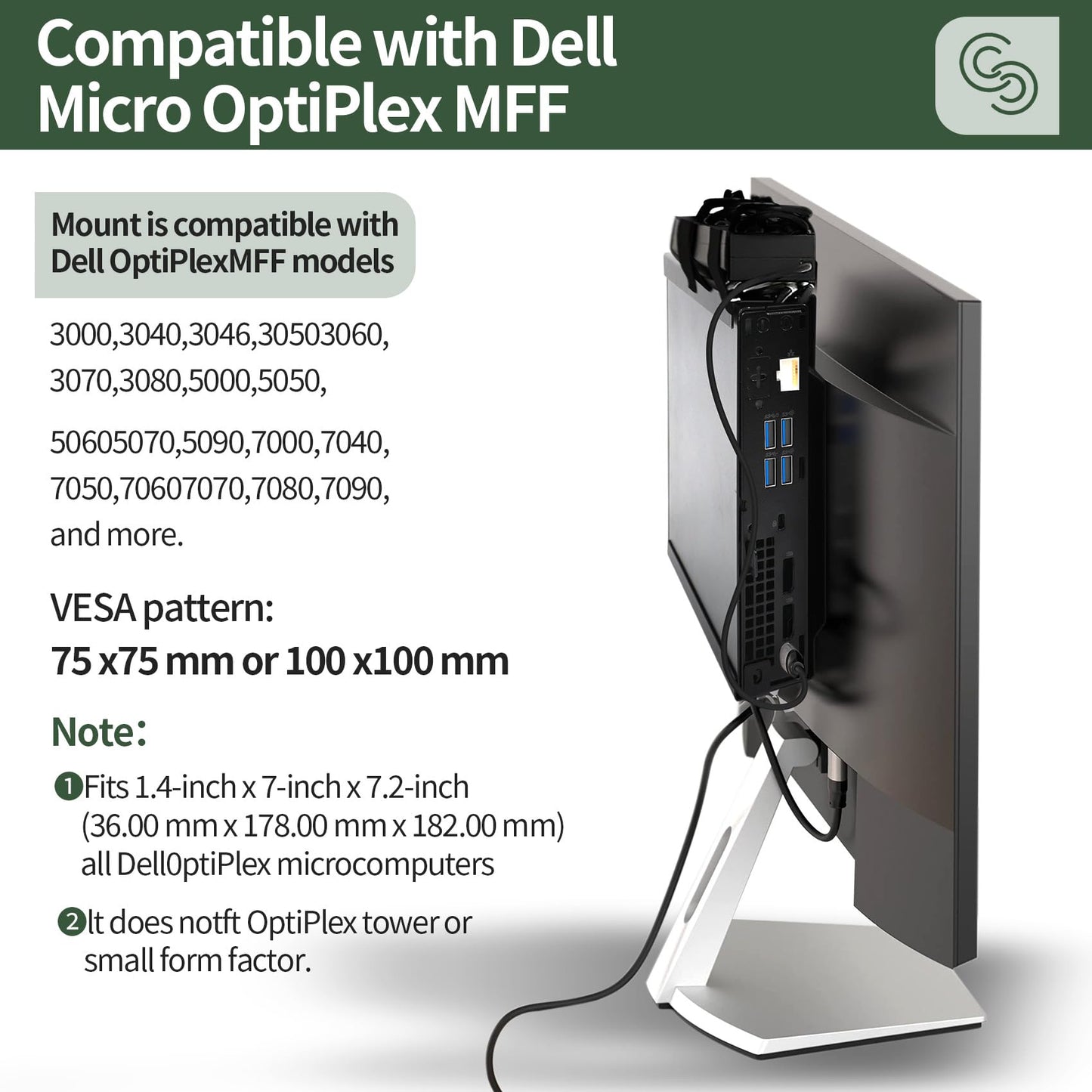
Image with text
Pair text with an image to focus on your chosen product, collection, or blog post. Add details on availability, style, or even provide a review.
-
Free Shipping
Pair text with an image to focus on your chosen product, collection, or blog post. Add details on availability, style, or even provide a review.
-
Hassle-Free Exchanges
Pair text with an image to focus on your chosen product, collection, or blog post. Add details on availability, style, or even provide a review.